

Your first program: print()
By the end of this lesson you'll have written programs that talk back: words, numbers, and a line that looks like a real receipt. You'll also meet your first error messages and learn to read them calmly. Every program you will ever write, from a calculator to an AI app, shows its results this way.
Telling Python to print something
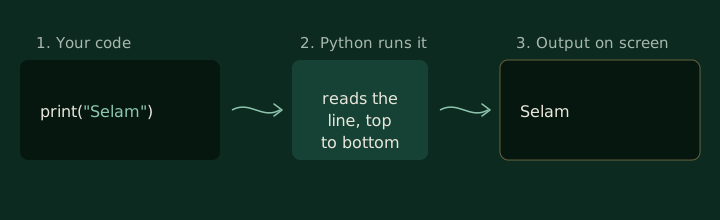
To make Python show something on the screen, you use print. It's a
:
a small tool with a name that does one job. You put what you want to show
inside the parentheses.
Press Run below.
print("Selam, Mawj!")In the editor, press Escape then Tab to move on.
The text between the quotes is a . Python doesn't try to understand it. It shows it exactly as you wrote it, without the quotes. Click into the code, change the words, and run it again. You just edited a program.
A program can have many lines. Python runs them from top to bottom, one at a
time, and each print starts on a new line.
print("Good morning, Hana.")
print("Your macchiato is ready.")
print("That will be 45 birr.")
In the editor, press Escape then Tab to move on.
Words and numbers
Numbers don't need quotes. Without quotes, Python treats a number as a number, which means it can do arithmetic with it before printing.
print(250)
print(250 + 30)
print(1200 - 350)
In the editor, press Escape then Tab to move on.
With quotes, the same characters become text, and Python shows them as they are. Before you run anything, decide what this prints.
What will this print?
Decide before you look. Guessing wrong is how this sticks.
print("2 + 3")
print(2 + 3)Python prints
2 + 3
5
With quotes, 2 + 3 is just text, so it's shown as typed. Without quotes, Python adds the numbers first and prints the result.
Printing more than one thing
You can give print several values at once, separated by commas. Python puts a
single space between them. This is how you mix text and numbers on one line.
What will this print?
Decide before you look. Guessing wrong is how this sticks.
print("Total:", 120, "birr")Python prints
Total: 120 birr
The commas separate the values in your code. They are not printed. Between values, print adds one space.
That space is only the default. Two extra settings change how print joins
things and how it finishes:
sepis what goes between values. It's a space unless you say otherwise.endis what goes after the last value. It's a new line unless you say otherwise.
print("27", "09", "2026", sep="/")
print("Loading", end="...")
print("done")
In the editor, press Escape then Tab to move on.
The first line joins three values with / instead of spaces. The second line
ends with ... instead of a new line, so the next print continues on the same
line. Try changing sep="/" to sep="-" and run it again.
Quick check
What does print(1, 2, 3, sep="") show?
When Python doesn't understand you
Sooner or later, and usually sooner, Python will stop and show you an . This is normal. Programmers see errors all day. The trick is to read the last line first: it names the problem.
Here's the most common one in a first program.
A SyntaxError means Python couldn't even read the line. A different kind of
error happens when the line reads fine but uses a name Python doesn't know.
Run this, read the last line of the error, and fix it.
prnt("Selam")In the editor, press Escape then Tab to move on.
Python says NameError: name 'prnt' is not defined, and even suggests
print. Add the missing letter and run it again.
Quick check
print(Hana) gives NameError: name 'Hana' is not defined. What's the fix?
The same program on your computer
Everything so far ran in your browser. Once Python is installed, you can run the exact same code from a file. You'll do this properly in the next lesson; here's the short version.
Make a file
In VS Code, create a file called
hello.pyand typeprint("Selam, Mawj!")into it. Save it.Open a terminal in that folder
In VS Code, open Terminal, then New Terminal. It opens in your project folder.
Run it
Type the command for your system and press Enter.
Windows
py hello.pymacOS
python3 hello.pyLinux
python3 hello.py
Python prints Selam, Mawj! on the next line of the terminal, just as it did here.
Exercise
Introduce yourself
Write a program that prints three lines: your name in a sentence, your city
using two values separated by a comma, and today's date written with /
between the day, month, and year. Aim for output shaped like this:
My name is Hana.
I live in Addis Ababa
Today is 27/09/2026
Your code
# Line 1: your name in a sentence
# Line 2: "I live in" and your city as two values
# Line 3: "Today is", then the date with sep="/"
In the editor, press Escape then Tab to move on.
Show a solutionHide the solution
This is one way to solve it, not the only one. If yours prints the same thing, it works.
print("My name is Hana.")
print("I live in", "Addis Ababa")
print("Today is", end=" ")
print("27", "09", "2026", sep="/")
Key takeaways
print()shows values on the screen, one line per call.- Text goes inside quotes; numbers don't, and Python can calculate with them.
- Commas give
printseveral values;sepsets what goes between them andendwhat comes after. - When you get an error, read the last line first.
SyntaxError: Python couldn't read the line.NameError: it doesn't know that name.